
A practical guide for facility managers, IT leads, and decision-makers across Vancouver and BC
If you’ve ever sat in a meeting where the screen wouldn’t connect, the audio cut in and out, or half the room couldn’t see the presentation clearly, you already know the cost of outdated AV. But what does an upgrade actually look like in practice? What changes, and why does it matter?
At Limitless AV, we’ve upgraded meeting environments of all shapes and sizes across Vancouver and British Columbia. Whether it’s a small huddle room or a large event space, the transformation is consistent: meetings run smoother, teams communicate more clearly, and the technology stays out of the way.
Here’s a breakdown of what changes across the most common room types when you invest in a purpose-built AV system.
Huddle Rooms
Before the Upgrade
Huddle rooms are often an afterthought in office design. A monitor dragged in from somewhere else. A webcam perched on top of a screen. A Bluetooth speaker that drops out mid-call. The result is a room that technically exists for collaboration but actively discourages it.
Common issues include:
Poor camera angles that cut off participants or show the ceiling
Tinny, inconsistent audio that frustrates remote participants
Cable clutter and unreliable connectivity for bring-your-own-device users
No consistent way to launch a meeting, every session starts with troubleshooting
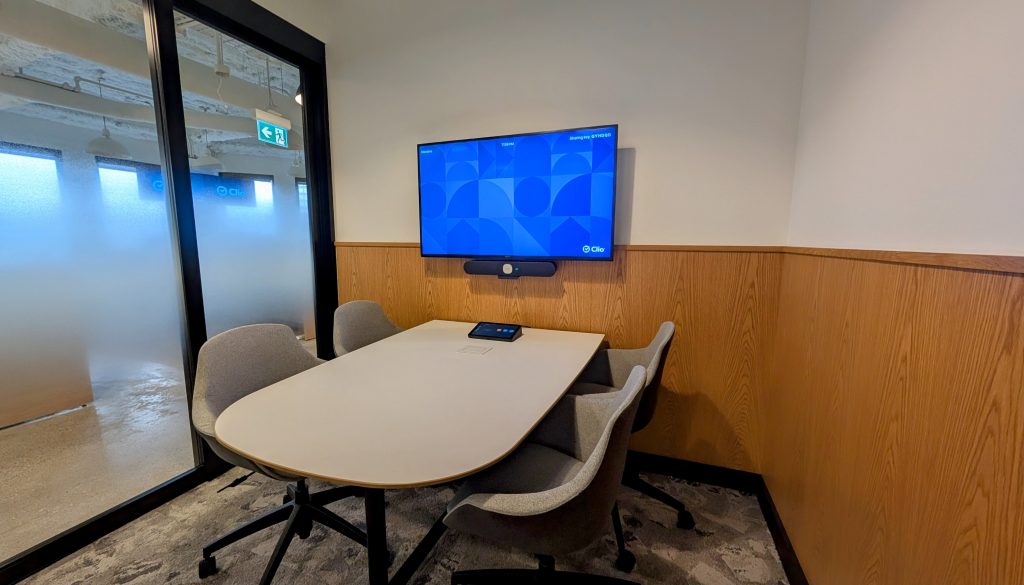
After the Upgrade
A properly equipped huddle room feels effortless. Walk in, connect, and start. That’s the standard we build to.
A compact all-in-one video bar with wide-angle camera and built-in speaker and mic array
Clean cable management and a single BYOD connection point on the table
A touch controller or one-touch launch button for instant meeting start
Professional display sized appropriately for the room, with no consumer-grade limitations
The biggest shift: people stop avoiding the huddle room and start using it.
Boardrooms
Before the Upgrade
Boardrooms carry significant weight. They’re where important decisions get made, where clients form first impressions, and where leadership aligns on strategy. When the AV doesn’t perform in this space, it undermines confidence in the organization.
Outdated boardroom setups typically involve:
A large display with poor mounting, creating glare or awkward sightlines
A conference phone in the middle of the table that barely picks up voices from the far end
A laptop connection system that requires adapters, cables, and patience
No integration between the display, audio, and video conferencing systems
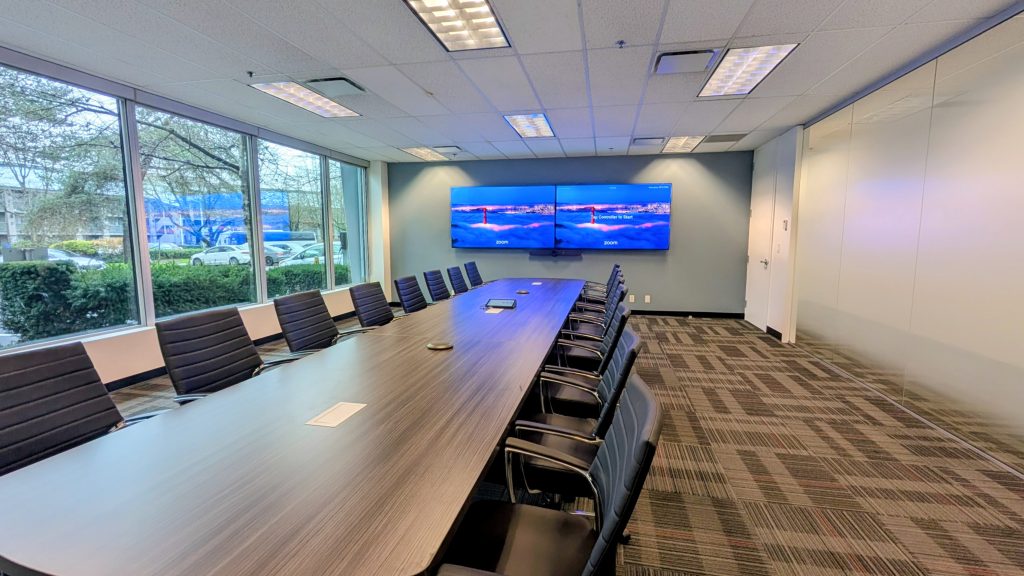
After the Upgrade
A modern boardroom AV system is built around the people in the room and the ones joining remotely. Every seat matters.
A large-format Professional Display with a proper full-motion wall mount for optimal sightlines
A Microsoft Teams Rooms or Zoom Rooms system with intelligent speaker tracking and echo cancellation
An all-in-one system that handles 4K video and room-filling audio
Tap Controller on the boardroom table for one-touch meeting launch and content sharing
BYOD flexibility via a system, so any laptop connects instantly
Professional cabling routed cleanly through walls or along baseboards with no exposed runs
The result: a room that commands respect, because everything works exactly as it should.
Training Rooms
Before the Upgrade
Training environments have unique demands. Content needs to be visible from every corner of the room. Audio needs to reach every participant. Presenters need to move freely without being tethered to a podium. Old setups rarely account for any of this.
Common pain points include:
A single display too small for the back rows to see clearly
A fixed microphone that picks up the presenter but not participant questions
No way to record or stream sessions for remote attendees
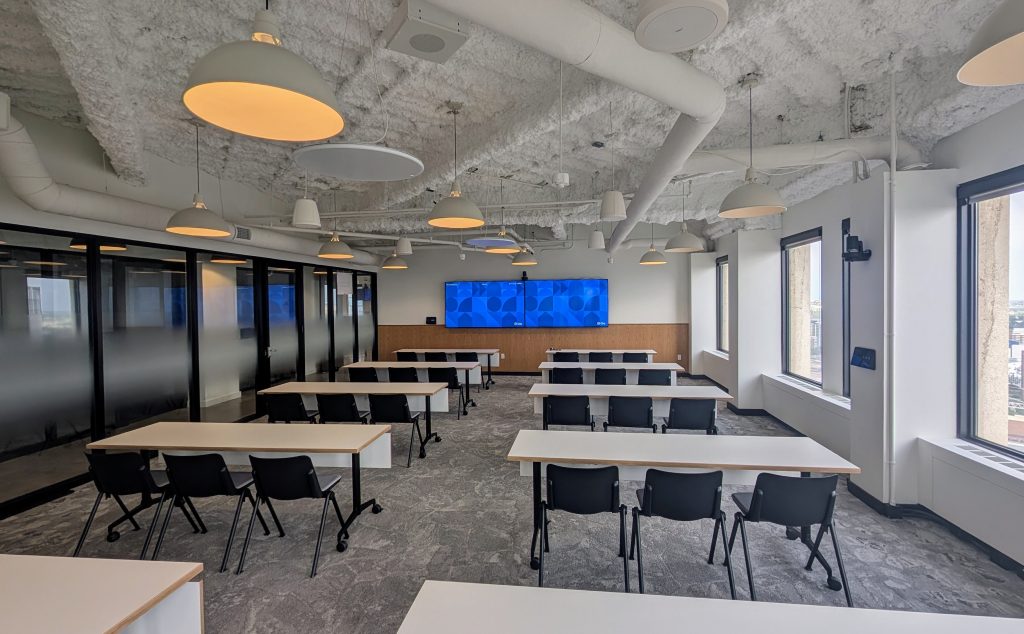
After the Upgrade
A well-designed training room AV system supports both the presenter and every person in the room, regardless of where they’re sitting.
Dual or multiple displays for clear visibility across the full room
Ceiling microphone arrays or distributed mic systems that capture all voices, not just the presenter’s
Wireless presentation capability so facilitators can move freely
Optional recording or streaming integration for hybrid and on-demand learning
Controlled audio zones with consistent volume coverage throughout the space
Training rooms should accelerate learning, not interrupt it.
Event Spaces
Before the Upgrade
Event spaces need to handle a wide range of scenarios: all-hands meetings, client presentations, product launches, town halls. A system that works for one format often fails for another. Without proper infrastructure, every event becomes a custom setup job.
Typical challenges:
Inconsistent audio coverage across different room configurations
No centralized control, AV requires a dedicated operator for every event
Display or projection systems that can’t scale for larger audiences
No reliable way to integrate guest presenters or remote speakers
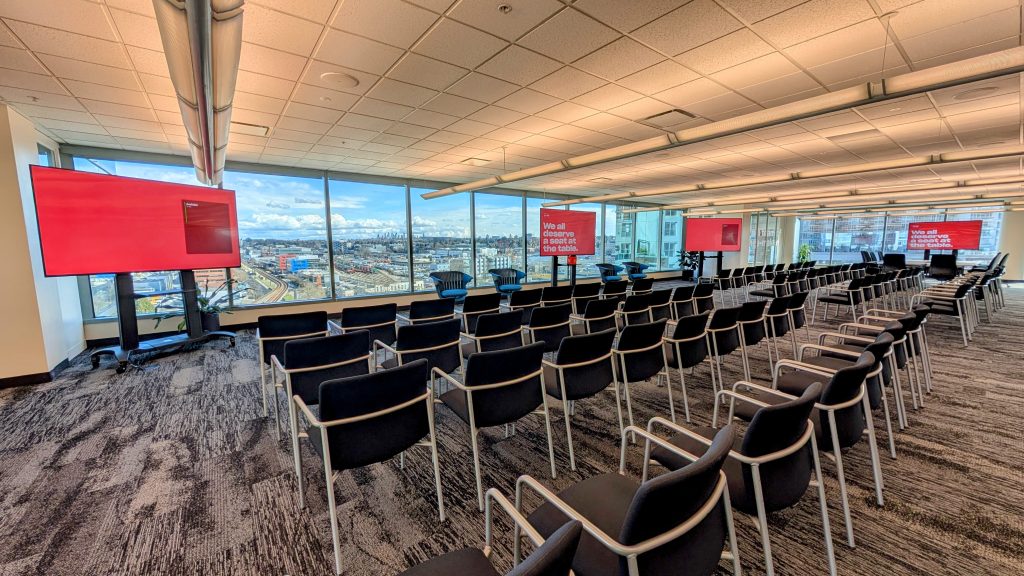
After the Upgrade
A purpose-built event space AV system is flexible, scalable, and manageable by the team running the event, not just the AV integrator who installed it.
Distributed speaker systems tuned for even audio coverage across the entire space
Wireless microphone systems for presenters, panelists, and audience Q&A
Centralized control via a touch panel or simple interface that staff can operate confidently
Scalable display or projection setup that works for both intimate meetings and full-room presentations
Integration with video conferencing for hybrid events with remote attendees
When the technology disappears into the background, the event can take centre stage.
Reception and Lobby Areas
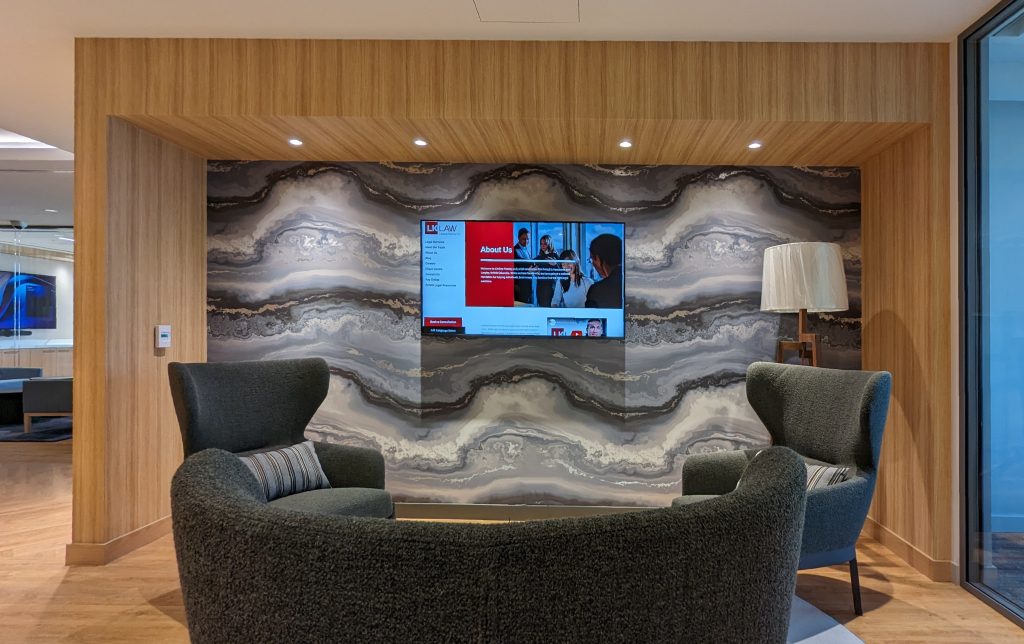
Before the Upgrade
Reception areas are often overlooked in AV planning, but they set the tone for every visitor who walks through the door. A consumer TV on a stand, playing cable news on mute, is not the impression most organizations want to make.
After the Upgrade
A professional reception AV setup is clean, intentional, and on-brand.
A Professional Display with commercial-grade durability and extended warranty
Integrated background audio that creates the right atmosphere
Ceiling speakers for even, unobtrusive sound throughout the space
Digital signage capability to display company content, wayfinding, or announcements
Local voice reinforcement options for front desk staff or announcements
First impressions are set before anyone says a word. Your AV should support that.
What Stays the Same Across Every Room
Regardless of the room type, every AV upgrade we complete at Limitless AV follows the same standard:
A detailed consultation before any equipment is specified or purchased
Professional installation with clean cabling, proper mounting, and no shortcuts
End-to-end testing of every component before handover
A user orientation so your team feels confident from day one
Ongoing support to handle any issues that arise after the install
The technology changes from room to room. The commitment to quality does not.
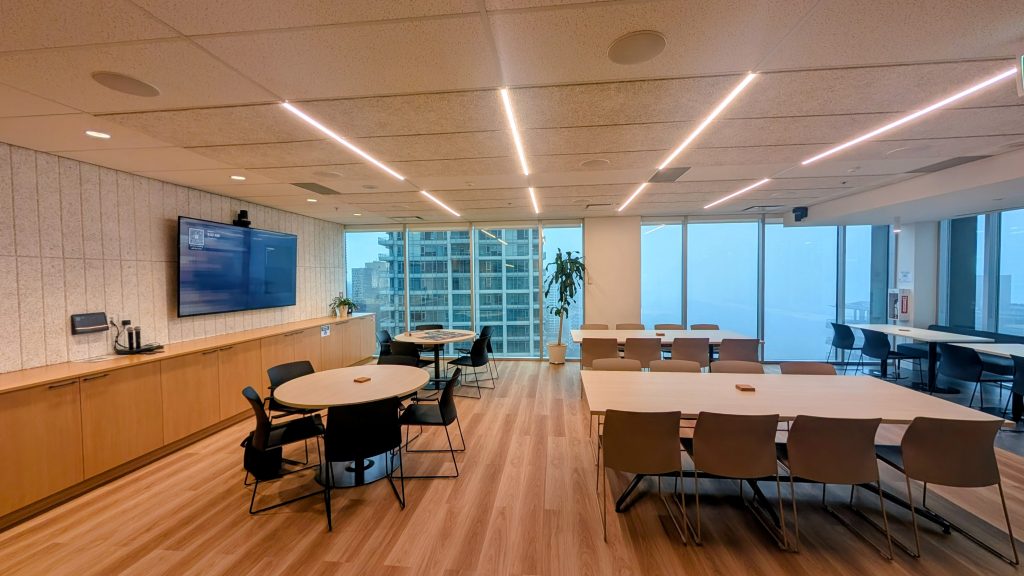
Ready to See What's Possible in Your Space?
Whether you’re upgrading a single huddle room or planning a full facility refresh, we are here to help you build a system that works, looks professional, and lasts.
We work with corporate offices, healthcare facilities, educational institutions, and commercial spaces across Vancouver and British Columbia. Every project starts with a conversation.
Get in touch:
New project inquiries: sales@limitlessav.ca
Technical support: support@limitlessav.ca
General information: info@limitlessav.ca
